



Introduction
Modern IT environments are becoming increasingly complex, with virtual machines, applications, and services interconnected across multiple layers. Managing these dependencies manually can be time-consuming and prone to errors. This is where vRealize Infrastructure Navigator plays a crucial role in simplifying infrastructure visibility.
Developed by VMware, vRealize Infrastructure Navigator is designed to provide deep insights into application dependencies within virtualized environments. It enables IT administrators to understand how different components interact, helping them make informed decisions.
In today’s fast-paced digital landscape, tools like vRealize Infrastructure Navigator are essential for maintaining uptime, optimizing performance, and ensuring efficient IT infrastructure management. By offering automated discovery and mapping capabilities, it significantly reduces operational complexity.
What is vRealize Infrastructure Navigator?
vRealize Infrastructure Navigator is a VMware tool that provides automated application discovery and dependency mapping within virtual environments. It integrates seamlessly with VMware vCenter to give administrators a comprehensive view of their infrastructure.
Its primary role is to identify relationships between applications and underlying virtual machines. This insight is critical for tasks like troubleshooting, system upgrades, and infrastructure planning. As part of VMware tools, it enhances visibility and control over IT ecosystems.
Key Features
1. Application Dependency Mapping
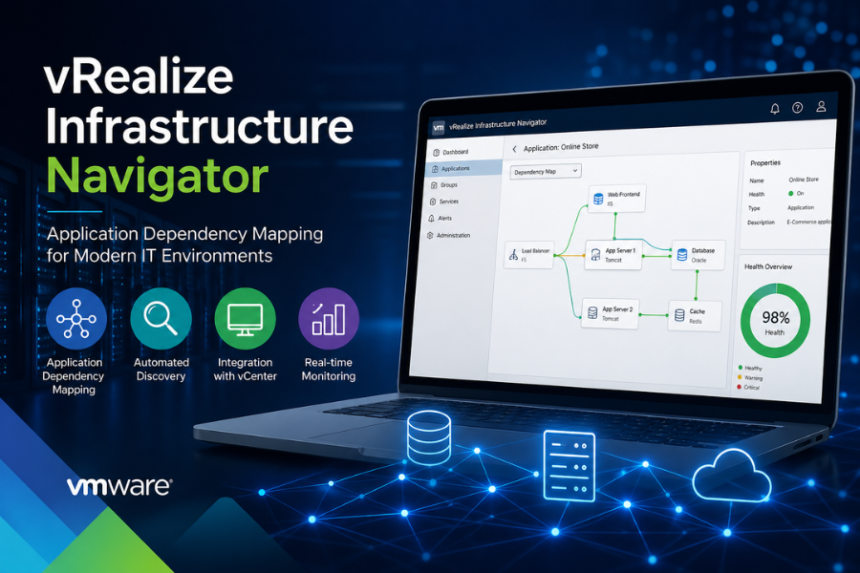
One of the standout features of vRealize Infrastructure Navigator is its ability to automatically map application dependencies. It shows how applications communicate with each other, helping teams avoid disruptions during changes.
2. Automated Discovery
The tool automatically discovers applications and services running on virtual machines. This eliminates the need for manual tracking and ensures up-to-date information.
3. Integration with VMware vCenter
Deep integration with VMware vCenter allows administrators to view dependency maps directly within their existing management interface.
4. Real-Time Monitoring
vRealize Infrastructure Navigator provides near real-time insights into application behavior, enabling quick identification of issues and performance bottlenecks.
How It Works
vRealize Infrastructure Navigator operates within a virtualized environment using a simple yet effective process:
- Deployment
The tool is deployed as a virtual appliance within the VMware environment. - Integration
It connects with VMware vCenter to access data about virtual machines and services. - Data Collection
It collects network traffic and system data to identify running applications and their interactions. - Dependency Mapping
The tool builds visual maps showing how applications and services are interconnected. - Visualization & Analysis
Administrators can view these maps and analyze dependencies for troubleshooting and planning.
Benefits for Businesses
Improved Visibility
Organizations gain a clear view of how applications interact within their IT infrastructure, reducing blind spots.
Faster Troubleshooting
By understanding dependencies, IT teams can quickly pinpoint the root cause of issues.
Better Infrastructure Planning
With accurate data, businesses can plan upgrades, migrations, and scaling strategies more effectively.
Enhanced Efficiency
Automation reduces manual workload, allowing IT teams to focus on strategic tasks.
Use Cases
1. Data Center Migration
Before migrating workloads, enterprises use vRealize Infrastructure Navigator to understand dependencies and avoid service disruptions.
2. Troubleshooting Performance Issues
When an application slows down, IT teams can trace dependencies to identify bottlenecks.
3. Change Management
During updates or patches, the tool helps assess potential impacts on connected systems.
4. Compliance and Auditing
Organizations use dependency maps to document infrastructure for compliance purposes.
vRealize Infrastructure Navigator vs Other Tools
Compared to other IT infrastructure management tools, vRealize Infrastructure Navigator stands out due to its tight integration with VMware environments.
- Vs Generic Monitoring Tools:
Many tools provide monitoring but lack detailed application dependency mapping. - Vs Third-Party Mapping Tools:
External tools may require complex configurations, while vRealize Infrastructure Navigator works natively within VMware ecosystems. - Vs Microsoft System Center:
Microsoft System Center offers broader management features, but vRealize Infrastructure Navigator excels in VMware-specific environments.
Setup and Requirements
System Requirements
- VMware virtual environment
- Access to VMware vCenter
- Compatible ESXi hosts
- Sufficient storage and network resources
Basic Setup Process
- Download the virtual appliance from VMware.
- Deploy it within your virtual environment.
- Connect it to vCenter.
- Configure network settings.
- Start automated discovery and mapping.
Challenges or Limitations
While powerful, vRealize Infrastructure Navigator has some limitations:
- Limited to VMware Environments
It works best within VMware ecosystems and may not support hybrid or multi-cloud environments effectively. - Learning Curve
New users may require time to fully understand its features and interface. - Resource Consumption
Monitoring and data collection can consume additional system resources.
Conclusion
vRealize Infrastructure Navigator is a powerful tool for IT professionals looking to gain deeper insights into their virtualized environments. With features like application dependency mapping, automated discovery, and seamless integration with VMware tools, it simplifies complex infrastructure management tasks.
For organizations heavily invested in VMware technologies, this tool offers significant value by improving visibility, speeding up troubleshooting, and enabling smarter decision-making. As IT environments continue to evolve, solutions like vRealize Infrastructure Navigator remain essential for maintaining efficiency and reliability.
FAQs
1. What is vRealize Infrastructure Navigator used for?
It is used for application dependency mapping and monitoring within VMware virtual environments.
2. Is vRealize Infrastructure Navigator part of VMware tools?
Yes, it is part of VMware’s suite of IT infrastructure management tools.
3. Can it work outside VMware environments?
It is primarily designed for VMware ecosystems and may have limited functionality outside them.
4. Does it require VMware vCenter?
Yes, integration with VMware vCenter is essential for its functionality.
5. How does it help in troubleshooting?
By showing application dependencies, it helps identify the root cause of issues quickly and accurately.