



Introduction
Have you ever wondered how people efficiently find content on Usenet without getting lost in millions of files? With the rapid growth of digital content sharing, tools that simplify access and organization have become essential. That’s where NZBGeek comes into play.
NZBGeek has emerged as one of the most popular Usenet indexers, helping users locate and download content quickly and securely. In today’s data-driven world, where efficiency and accessibility matter more than ever, platforms like NZBGeek are shaping how users interact with decentralized content networks.
What is NZBGeek?
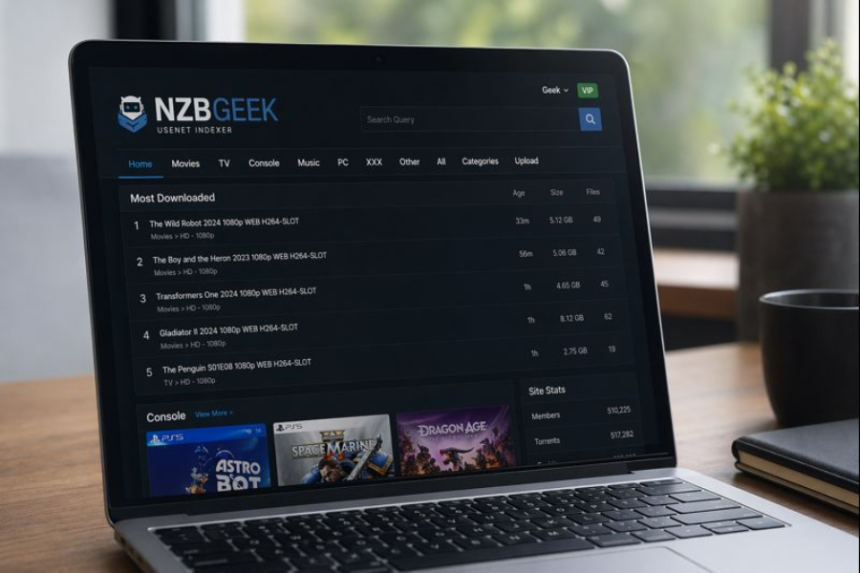
NZBGeek is a premium Usenet indexing service that helps users search and access files on Usenet using NZB files. These NZB files act like maps, guiding download clients to specific pieces of content stored across Usenet servers.
Originally launched as a community-driven platform, NZBGeek quickly gained popularity due to its clean interface, reliable indexing, and active user base. Unlike traditional search engines, it focuses specifically on Usenet, making it highly specialized and efficient.
Key Features / Components
NZBGeek stands out because of its powerful features designed for both beginners and advanced users.
1. Advanced Search Functionality
- Filter results by category, size, age, and more
- Quick and accurate indexing
2. API Integration
- Supports automation tools like Sonarr and Radarr
- Enables seamless content management
3. Community Forums
- Active user discussions and support
- Helpful guides and troubleshooting
4. Custom Categories
- Organized content sections (movies, TV shows, software, etc.)
- Easier navigation for users
5. NZB File Downloads
- Direct download of NZB files for use with Usenet clients
6. Security & Privacy
- SSL encryption support
- No direct file hosting (adds an extra layer of privacy)
How It Works
Understanding NZBGeek is simple when broken down into steps:
Step 1: Access the Platform
Users create an account on NZBGeek and log in to access the search interface.
Step 2: Search for Content
Enter keywords or browse categories to find desired files.
Step 3: Download NZB File
Instead of downloading the content directly, users download a small NZB file.
Step 4: Use a Usenet Client
The NZB file is opened in a Usenet client like SABnzbd or NZBGet.
Step 5: Content Retrieval
The client connects to Usenet servers, retrieves file segments, and reconstructs the final file.
Step 6: Completion
Once all parts are downloaded and assembled, the content becomes accessible on the user’s device.
Applications / Real-World Uses
NZBGeek is used across various scenarios, both personal and professional.
1. Entertainment
- Download movies, TV shows, and music
- Organize media libraries efficiently
2. Software Distribution
- Access open-source tools and updates
- Share development resources
3. Data Archiving
- Retrieve historical data stored on Usenet
- Backup and restore files
4. Automation Systems
- Integrate with tools for automated downloads
- Ideal for tech enthusiasts and home servers
5. Research & Education
- Access niche content and datasets
- Useful for academic purposes
Benefits / Advantages
NZBGeek offers several advantages that make it a preferred choice among Usenet users.
- Fast Access: Quickly locate files without manual searching
- Efficiency: NZB files streamline the download process
- Automation: Works seamlessly with automation tools
- Privacy: No direct hosting reduces legal exposure
- Community Support: Active forums help solve issues
- Organization: Well-structured categories improve usability
Challenges / Limitations
Despite its strengths, NZBGeek has some limitations to consider.
1. Requires Usenet Subscription
Users must pay for a Usenet provider separately.
2. Learning Curve
Beginners may find the setup process confusing at first.
3. Paid Membership
Full access requires a subscription, unlike some free alternatives.
4. Legal Concerns
Content availability may raise copyright issues depending on usage.
5. Dependency on External Tools
Requires third-party clients like SABnzbd or NZBGet.
Latest Trends & Innovations
NZBGeek continues to evolve alongside the Usenet ecosystem.
1. Increased Automation
Integration with tools like Sonarr and Radarr is becoming more seamless, allowing fully automated content management.
2. Improved Indexing Algorithms
Faster and more accurate indexing ensures better search results.
3. Enhanced User Interfaces
Modern UI updates make navigation smoother and more intuitive.
4. API Expansion
Developers are leveraging NZBGeek’s API for custom applications and home server setups.
5. Privacy-Focused Enhancements
With growing concerns about online privacy, encryption and secure access are being prioritized.
Future Outlook
The future of NZBGeek looks promising as digital content consumption continues to grow.
Over the next 5–10 years, we can expect:
- Smarter AI-based search for more accurate results
- Deeper automation integration with smart home systems
- Enhanced privacy tools to protect user identity
- Cloud-based Usenet solutions for easier access
- Stronger community-driven features
As decentralized content platforms gain traction, NZBGeek is likely to remain a key player in the Usenet ecosystem.
Conclusion
NZBGeek is more than just a Usenet indexer—it’s a powerful tool that simplifies how users find and access content in a complex digital landscape. With its advanced features, strong community, and seamless integration capabilities, it continues to stand out as a reliable solution for both beginners and experienced users.
While it does come with a learning curve and requires additional services, its efficiency, automation, and organization make it well worth the effort. As technology evolves, NZBGeek is poised to remain at the forefront of Usenet innovation, helping users navigate the ever-expanding world of digital content with ease.